
Updating Class Lists from another File
Class lists created and maintained in one file can be copied to another file to keep class lists up-to-date
To update class lists from another file, open the file that needs updating and go to File > More > Import classlists from another file.
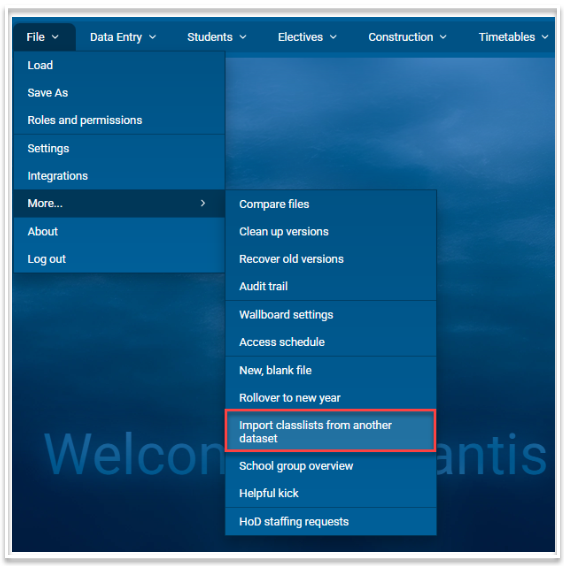
This will open the following dialog:
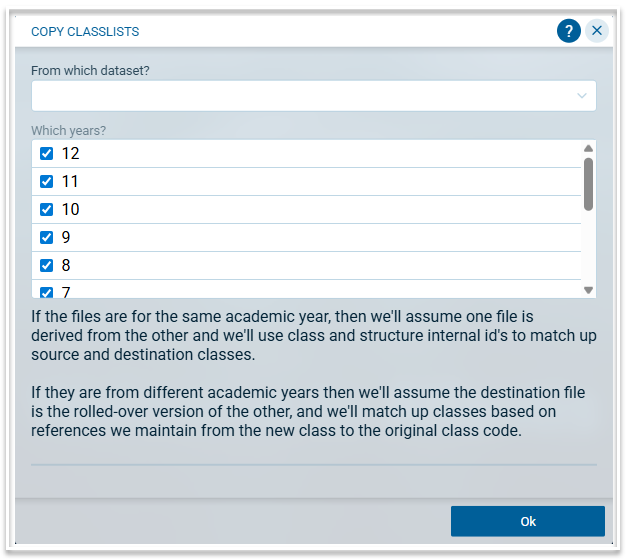
- Select the dataset from which you wish to retrieve the class lists. The dropdown list will include all datasets for your licence. You can use the search function to find the required dataset.
- Select the year level or levels that you wish to import.
- Click Ok.
- All class lists in the selected year level(s) will be updated with the class lists from the selected dataset.