Allowances
The Allowances tables is used to enter non-teaching duties which count towards a teacher's load
Non-teaching duties such as Head of Faculty, Year Advisor and Sports Co-ordinator that contribute to the total load for a teacher, should be entered in the Allowances table. To enter allowances, go to Data entry > Allowances.
Table columns
The Allowances table contains the following columns:
- Description: Enter the type of allowance, role or duty here, such as Year 7 Advisor, Head of English, Debating Co-ordinator
- Load: Enter the period allocation per cycle that the allowance receives
- Teacher(s): Enter the code of the teacher who receives the allowance. When an allowance has multiple teachers, enter codes separated by a comma.
Notes
- The faculty filter can be used to filter allowances by faculty. The table will be filtered to show the allowances of teachers in the selected faculty. Allowances that have no teacher assigned will be displayed in each of the faculties until a teacher is added.
- Allowances can be exported as a csv file using the Export button.
- Data can be imported using a .csv or .xlsx file. To import data, select the 'Import' button then drag the file onto the screen, matching column headers where necessary. Use one of the import options (Update, All new entries or Merge with existing data) to complete the import.
- The table can be sorted on any column by clicking on the sort icon in the column header. Blank fields will be displayed at the top.
- Columns can be resized.
- The Search bar can be used to find and filter data in the table.
- Related screens can be accessed using the links in the footer.
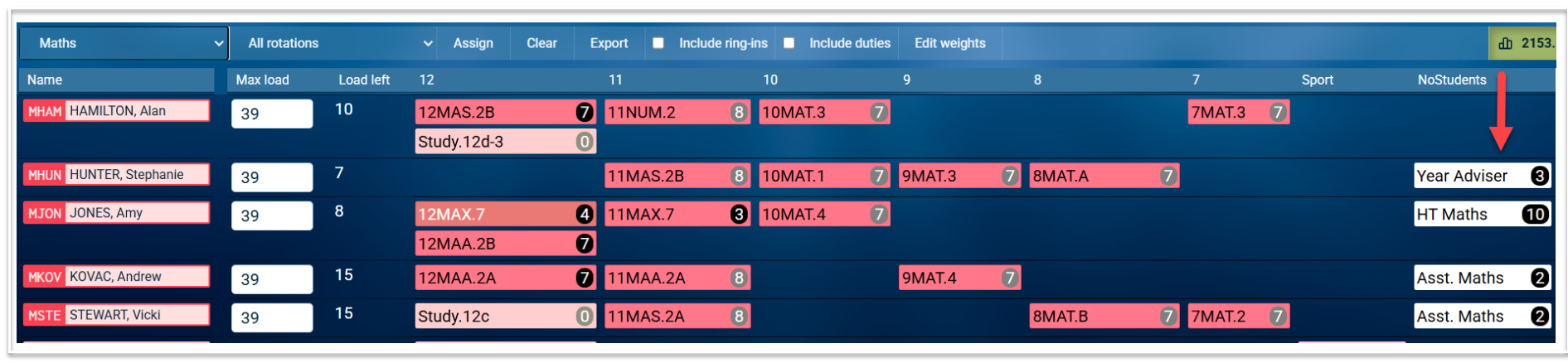
- Allowances and their period load will be displayed for each teacher in the Staffing screen under the NoStudents year level.