
Using Live Consultations
The Live Consultation feature allows users with the appropriate access to view student selections and make changes on their behalf.
Access to Live Consultations
Users with a CLM role in the appropriate file are able to access Live Consultations for their assigned year level. When they login, they will see a dedicated card titled Subject selection consultation.
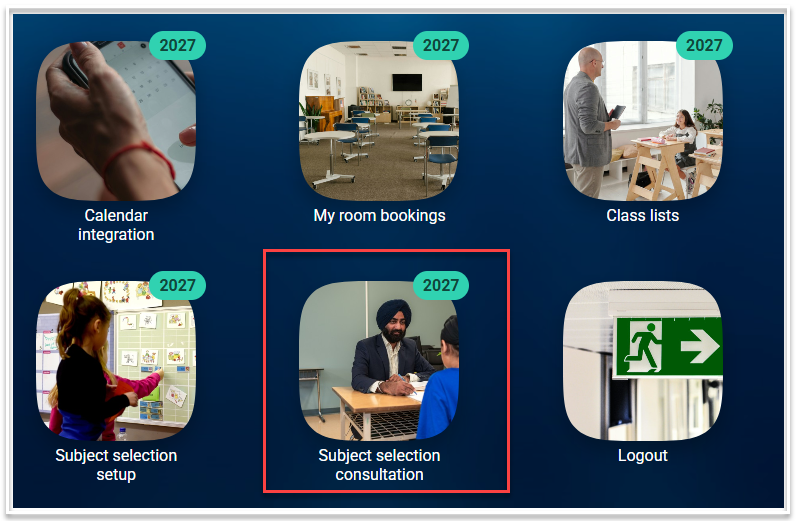
For Timetablers, access is via Electives > Subject Selection > Live Consultations
The Live Consultation screen
To submit choices on behalf of a student, login and select the 'Subject selection consultation' card (CLM users) or navigate to Electives > Subject Selection > Live Consultations (Timetablers)
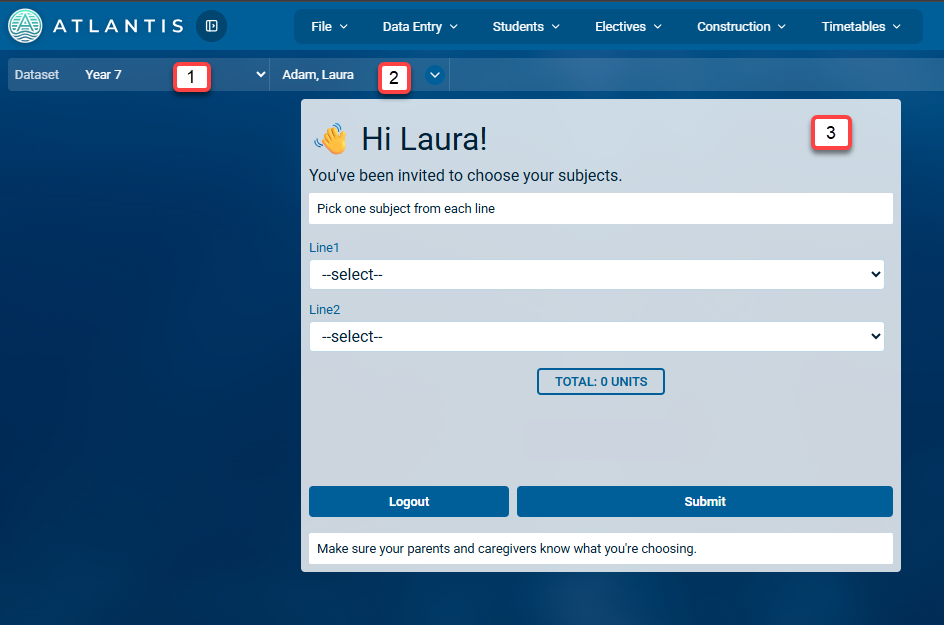
- Select the required dataset from the first drop down. CLM users will only have access to the datasets for their assigned year level.
- Select the student from the second drop down.
- The form for the selected student will be shown. If they have previously submitted choices, these will be displayed. Select the choices as required and then use the 'Submit' button to commit the selections.
- Navigate to the next student to continue the process.